


 MarkoraOn-device watermarking for creators and sellers. Text, logos, signatures, QR codes, and timestamps — batch up to 50 files with Pro.
BoMoSi product
Creator ToolsReadyPost
Story Video Resizer
Fit landscape photos and videos to 9:16 for Stories and Shorts — no crop, on device.
On-device 9:16 prep for Stories, Reels, Shorts, and TikTok — fit without hard crop, batch up to 50 items, split long clips, save or share.
- iOS
Overview
Landscape shoots and vertical feeds do not match. Creators waste time cropping important content or bouncing files through desktop tools before posting.
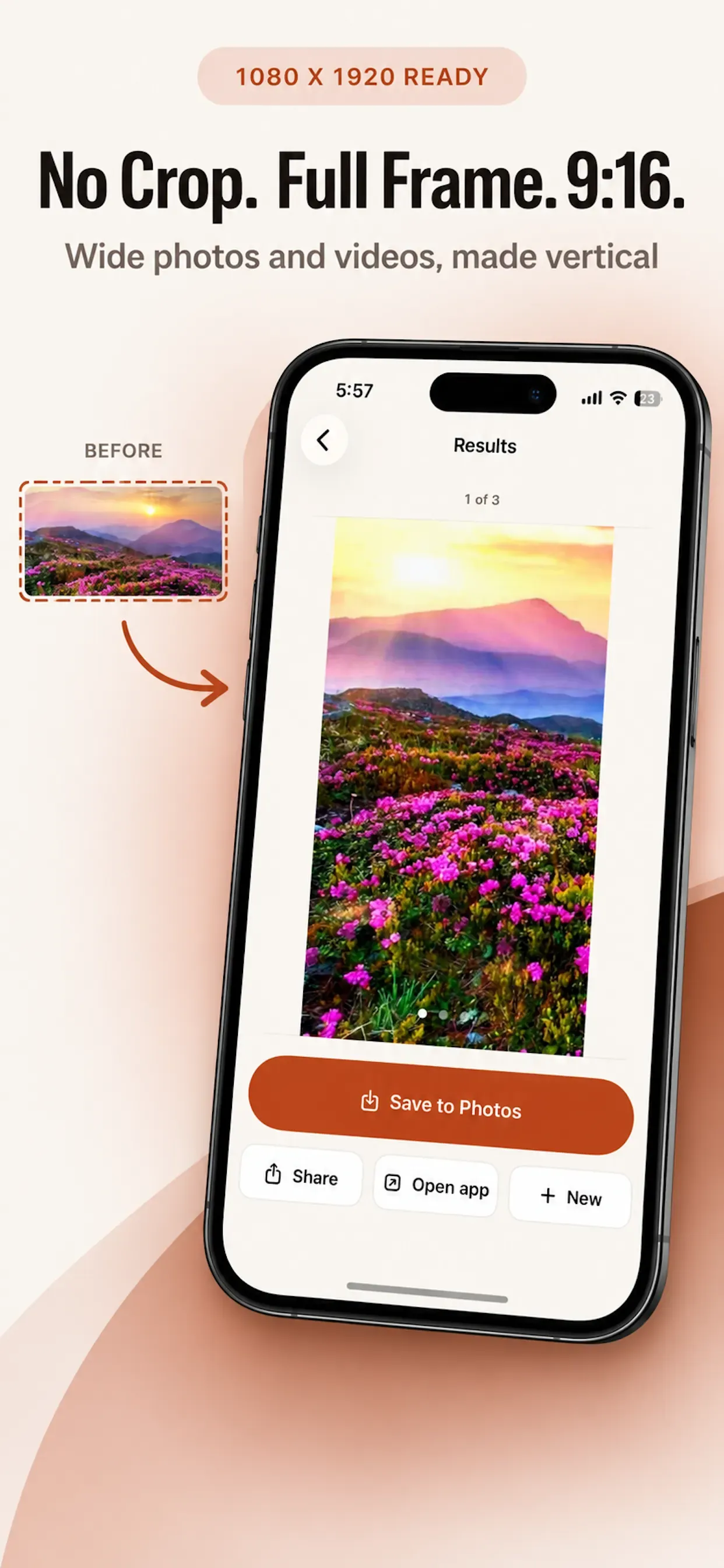
ReadyPost places photos and videos on a 1080×1920 portrait canvas on your iPhone — with blur, colour, or gradient backdrops — then saves or shares destination-ready copies without uploading originals.
- Fit to 9:16 without hard cropping — keep the full frame in view
- Platform-aware duration limits for Stories, Reels, Shorts, TikTok, and more
- Batch up to 50 mixed photos and videos; combine or prepare separately
- Fully on-device — originals stay untouched; prepared copies stay until you save or share
In the app
Features
Prepare for where you're posting
Choose Instagram Story or Reel, YouTube Shorts, TikTok, Facebook Story/Reel, WhatsApp Status, or General. Output lands on a clean 1080×1920 portrait canvas.
Keep the whole frame
Fit any photo or video to 9:16 without hard crops. Smart positioning keeps the subject in view. Backdrop options include soft blur, a colour sampled from your media, or a subtle gradient.
Handle the whole batch
Add up to 50 photos and videos, reorder the tray, prepare separately, turn photos into one video, combine clips, or mix photos and videos into a single file.
Built for long videos
Long clips split at the destination’s duration limit. Audio is preserved when present. Output uses an efficient, widely compatible format for the destination.
Preview, save, post
Preview every prepared file, browse multi-file results, save to Photos, share via the iOS share sheet, or open the destination app when installed. Share into ReadyPost from Photos or other apps.
ReadyPost Premium
Prepare for several destinations in one run, smart framing, faster batch preparation, no ads, and no featured app suggestions. Free prepares for one destination at a time. Monthly, 6-month, and yearly subscriptions available.
Landscape in, story-ready out
ReadyPost is for creators and small businesses who reuse horizontal shoots on vertical platforms. Pick the destination, keep the whole frame on a portrait canvas, and walk away with files that fit the length limits — without a desktop editor or a cloud upload.
Questions or feedback: bomosiuser@gmail.com. EULA: ReadyPost EULA. Privacy Policy: ReadyPost Privacy Policy.
Privacy. Preparation runs entirely on device. Photos and videos are never uploaded to be processed. ReadyPost does not modify your originals — it creates prepared copies that stay in the app until you save or share them.
Note. ReadyPost does not post for you. It prepares media and hands it back so you can save or share where you choose.
FAQ
Is ReadyPost available on Android?
No. ReadyPost is iOS-only at this time.
Will my media be uploaded?
No. Fitting, combining, and splitting run on your iPhone. Originals are left as they were.
What is free vs Premium?
Free prepares for one destination at a time. Premium unlocks multi-destination runs, smart framing, faster batches, and removes ads and featured app suggestions.
Does ReadyPost post to Instagram or TikTok for me?
No. It prepares destination-ready files. You save to Photos or share into the app you want.
Get ReadyPost
Download from the stores where this product is available. Store availability matches the platforms listed above — we do not invent listings.
Related products
MarkoraOn-device watermarking for creators and sellers. Text, logos, signatures, QR codes, and timestamps — batch up to 50 files with Pro. ReeLinkAI reel creation from copied links or custom prompts, with controls for duration, overlays, voice-over, and end imagery on iOS.
 vSaveOffline-friendly video import, format conversion, and property editing for width, bitrate, and audio settings on iOS and Android.